

Exporting CRM data sounds simple until you're staring at a 500,000-record dataset, three integrated marketing platforms, and a GDPR compliance deadline. The best practices for data export are not just about picking the right file format. They're about preserving data integrity, staying legally defensible, and ensuring your sales and lead generation campaigns actually fire correctly on the other end. This article walks you through the criteria, methods, and decision frameworks that B2B sales and marketing professionals need to get CRM exports right, at any scale.
- Popular methods for exporting CRM data efficiently
- Comparing CRM data export approaches: features, performance, and compliance
- Choosing the right data export strategy for B2B sales and marketing success
- Rethinking data export: The operational truth behind CRM migrations and compliance
- Streamline your lead generation with SphereScout's data solutions
- Frequently asked questions
Key Takeaways
| Point | Details |
|---|---|
| Compliance is critical | Ensure your data export process meets GDPR requirements for machine-readable formats and deletion within 30 days. |
| Document your data | Fully map and document your data schema and relationships before starting any export to avoid incomplete or orphaned data. |
| Choose the right tool | Select APIs or tools fitting your record volume and data types; Bulk API 2.0 suits large Salesforce exports. |
| Maintain data integrity | Use transaction snapshots or log-based CDC to keep exported data consistent and audit-ready. |
| Automate DSAR workflows | Automate searches, exports, and deletions across all connected platforms to comply with GDPR erasure requests efficiently. |
Evaluating key criteria for effective data export
Before you touch an export button, you need a clear picture of what you're exporting, why, and under what constraints. Skipping this step is how teams end up with orphaned records, broken integrations, and compliance violations they didn't see coming.
Here are the core criteria to assess before you start:
- Compliance requirements. GDPR compliance requires exports in machine-readable formats like CSV or JSON, and full deletion of personal data within 30 days of a Data Subject Access Request (DSAR). If your export workflow can't produce structured, portable files on demand, you're already exposed.
- Data integrity. The biggest risk in CRM exports is failing to document schema and relationships beforehand. If you don't map field dependencies and object relationships first, you'll export records that reference IDs pointing to nothing.
- Volume handling. Tools that work fine at 5,000 records often break at 500,000. Know your record counts and choose export methods that handle your actual volume without timing out or hitting API call limits.
- Integration requirements. Your exported data needs to land cleanly in downstream platforms. That means consistent field naming, format standardization, and in many cases, de-duplication before the file ever reaches your marketing automation tool or lead generation functions.
- Lawful basis documentation. Every contact you export should have a documented consent or legitimate interest basis. This matters for efficient B2B contact export workflows where data is moving across systems regularly.
- Retention and audit trails. You need to know when data was exported, by whom, and for what purpose. Build this into your export workflow from day one, not as an afterthought.
Pro Tip: Define your data retention policy in writing before designing any export pipeline. Teams that do this spend far less time firefighting compliance issues later.
A clean export starts with knowing exactly what you're dealing with. Think of it as the foundation that everything else sits on. Get this wrong and even the best tooling won't save you.
Popular methods for exporting CRM data efficiently
Once you've defined your criteria, the next step is matching your needs to the right data export techniques. Not every method suits every scenario, and the gap between them is significant.
Here's how the main options break down:
1. REST API. Great for small, targeted exports under 10,000 records. It's easy to set up and ideal for real-time or near-real-time use cases. Beyond 10,000 records, you'll hit governor limits and synchronous timeouts quickly.
2. Bulk API 2.0. This is the workhorse for large-scale Salesforce exports. Bulk API 2.0 processes exports asynchronously in 10,000-record chunks, supporting up to 150 million records per job. It's the standard for any serious data migration or large list pull.
3. Data Loader. A desktop tool for Salesforce that gives you granular control over object-level exports using SOQL (Salesforce Object Query Language) queries. Good for technical users who need precise filtering without writing custom API code.
4. Change Data Capture (CDC). Log-based CDC tracks every committed change in your CRM and exports only incremental deltas. This is essential when you need to sync live data to downstream systems without re-exporting entire datasets.
5. File attachment export tools. Standard CRM exports miss binary file content entirely. Specialized tools handle Salesforce Content, attachments, and documents separately from metadata, which is something many teams discover too late in a migration.
6. Fast file-copy utilities. For raw file system transfers, tools like FastCopy double or triple throughput compared to standard OS copy operations by reducing CPU overhead and using direct disk I/O.
Pro Tip: Don't assume one method covers everything. A complete export strategy for a mid-size B2B CRM typically requires at least two methods working together, one for structured records and one for file attachments.
You can also explore efficient contact exports for practical guidance on how these methods apply specifically to B2B outreach lists.
Comparing CRM data export approaches: features, performance, and compliance
With these options laid out, let's compare their features and performance side by side to clarify which suits your needs best.
| Method | Speed | Scalability | Data types covered | Compliance features | Setup complexity |
|---|---|---|---|---|---|
| REST API | Fast (sync) | Low (under 10K) | Structured records | Basic logging | Low |
| Bulk API 2.0 | Moderate (async) | Very high (150M+) | Structured records | Job tracking, audit logs | Medium |
| Data Loader | Moderate | Medium (millions) | Structured records | SOQL filtering, logs | Medium |
| CDC tools | Near real-time | High (incremental) | Structured changes | Full audit trail, ordered | High |
| File export tools | Variable | Medium to high | Binary files, attachments | Minimal built-in | Medium |
| Fast file-copy utilities | Very fast | High (file-based) | Files only | Minimal | Low |
A few things stand out from this comparison worth noting:
- Bulk API 2.0 is the clear winner for volume, but it requires you to understand job management and API limit monitoring. It's not plug-and-play.
- CDC tools are underused in B2B marketing contexts. They're particularly valuable for keeping a CRM in sync with a marketing automation platform without full nightly re-exports.
- File export tools fill a gap that surprises most teams. GDPR export requires locating all personal data, including backups and file attachments. If you're not exporting binary content, you're not fully compliant.
- Failing to document schema and object relationships leads to orphaned, unusable exports. This is especially true when exporting junction objects, which link two parent records together, like campaign members connecting contacts to campaigns in Salesforce.
Pro Tip: Combine Bulk API 2.0 for structured record exports with a specialized file export tool for attachments and documents. That combination covers roughly 95% of what any B2B CRM export needs to capture.
For teams relying on CSV files to feed sales outreach, CSV export benefits are worth reviewing to understand how format choices affect downstream campaign performance.

Choosing the right data export strategy for B2B sales and marketing success
Knowing what tools exist is one thing. Knowing which combination fits your specific situation is what actually moves the needle. Here's a practical framework for putting it all together.
1. Document your data schema first. List every object, field, and relationship you need to export. The operational risk in CRM export almost always comes from gaps in this documentation, not from technical failures in the tooling itself.
2. Use transaction-consistent snapshots or CDC. Exporting data snapshots must maintain consistency to avoid foreign key mismatches. If you export accounts at 9:00 AM and contacts at 9:15 AM after updates have already changed some contact-account relationships, you'll have integrity issues.
3. Automate DSAR workflows. Manual DSAR responses don't scale, and they introduce human error into a legally sensitive process. Build automation that can locate all data for a single contact across every object in your CRM and export it within the legal deadline.
4. Schedule exports to match your data velocity. Dynamic data like contact engagement scores or pipeline stages may need daily syncs. Static reference data can be handled monthly. Matching frequency to need reduces processing load and keeps data fresh without waste.
5. Design for cascading deletions. Your export pipeline should also handle the reverse: when a contact requests deletion, that signal needs to cascade across your CRM, marketing automation, support platform, and any third-party processors. An export-only approach without deletion handling is an incomplete strategy.
Pro Tip: Run test exports on a 1,000-record sample set before any large migration. Validate completeness, field mapping accuracy, and downstream system behavior before committing to a full export.
For practical efficient contact list exports that plug directly into your sales workflows, having your schema documented in advance makes the integration dramatically faster.
Teams targeting specific buyer profiles can also filter lead generation for buyer types to match exported segments to the right outreach sequences.
Rethinking data export: The operational truth behind CRM migrations and compliance
Here's something most articles on data export won't tell you: the technology is rarely the problem. The problem is discipline.
I've seen teams with access to every premium API tool available still end up with unusable exports because nobody documented what a "contact" actually meant in their CRM versus what it meant in their marketing platform. Field naming inconsistencies, unmapped custom objects, and undocumented relationships are the real export killers. Not API rate limits.
The same logic applies to compliance. GDPR's Right to Be Forgotten sounds technical, but the biggest export risks are operational: poor schema documentation and failure to cascade erasures throughout all connected systems. You can have a fully functional Bulk API 2.0 setup and still fail a DSAR audit because a backup database nobody remembered still holds the deleted contact's data.
Audit trails matter more than speed. Teams often fixate on throughput benchmarks when evaluating export tools. But in a compliance context, what actually protects you is the ability to prove exactly what data was exported, when, and where it went. A CDC-based approach that captures every committed change in order gives you that. A nightly bulk export does not.
Relational data exports also have an order problem that practitioners consistently underestimate. Junction objects, in Salesforce these are objects like Opportunity Contact Roles or Campaign Members, must be exported after their parent objects. Export them out of sequence and the records become orphaned the moment they land in a new system.
Pro Tip: Invest as much in process rigor and verification as you do in tooling. A well-documented manual process will outperform a poorly configured automated one every single time.
The best data export strategy is not the fastest one or the most technically advanced. It's the one your team can execute consistently, audit completely, and defend legally.
Streamline your lead generation with SphereScout's data solutions
Combining solid data export practices with high-quality prospecting data is where real pipeline growth happens. If your exported CRM contacts are getting stale or your lists lack the coverage you need, you're fighting uphill.
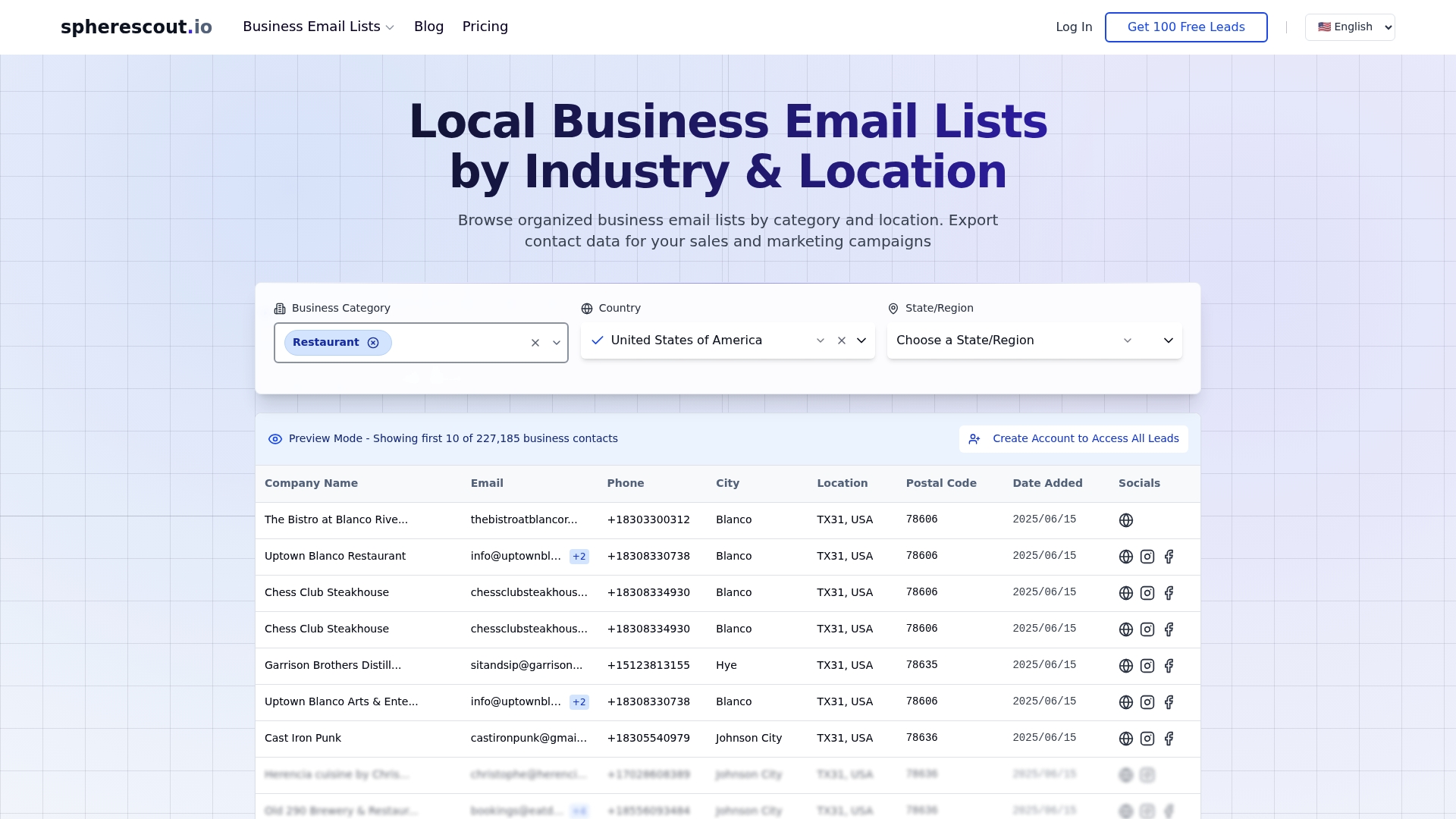
SphereScout gives B2B sales and marketing teams access to business email lists by industry, all structured for direct CRM integration and ready for download in CSV format. Whether you're filling gaps in your exported data or building a fresh prospecting list from scratch, the platform's lead generation functions let you filter by industry, location, and buyer type to match your ideal customer profile. You can also explore lead generation for buyer types to align your outreach exactly with the segments your exports are targeting. Over 30 million verified contacts, ready to activate.
Frequently asked questions
What formats are best for exporting CRM data under GDPR?
Machine-readable formats like CSV and JSON are the standard for GDPR compliance, as they allow data subjects to access and port their data without specialized software. Both formats also support automated processing for DSAR fulfillment.
How can I ensure data integrity when exporting large CRM datasets?
Use transaction snapshots to capture a consistent point-in-time state, or use log-based CDC to export every committed change in sequence. Either approach prevents foreign key mismatches that corrupt relational data.
What is the best API for exporting over 10,000 Salesforce records?
Bulk API 2.0 processes large Salesforce datasets asynchronously and is the industry standard for anything above 10,000 records. It handles up to 150 million records per job, making it the right choice for any serious data migration or large-scale list export.
How do I handle exporting file attachments from Salesforce?
Standard Salesforce export methods only capture metadata, not the actual binary file content. You need a specialized file export tool that calls Salesforce's REST API content endpoints to download attachments separately.
What operational mistakes should I avoid in CRM data exports?
The two most damaging mistakes are failing to document your data schema before export and not cascading deletions across all integrated platforms. Both create compliance and data integrity failures that are difficult and expensive to fix after the fact.
Recommended
- How to export contact lists efficiently for B2B outreach | spherescout.io Blog
- Why CSV exports unlock efficient sales outreach | spherescout.io Blog
- B2B Email Marketing Process for Lead Generation Success | spherescout.io Blog
- Email marketing strategies that drive real B2B results | spherescout.io Blog